
Introduction
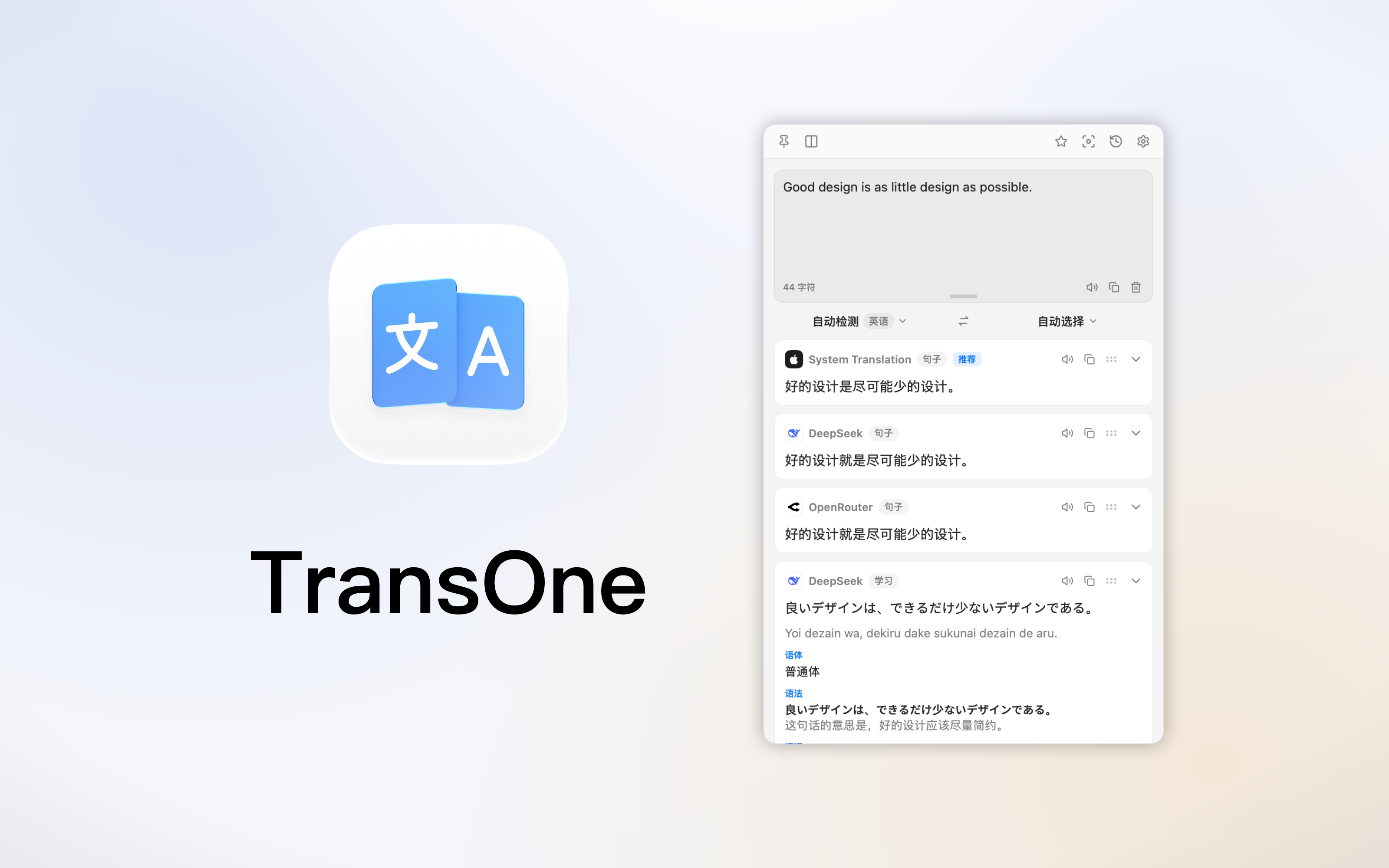
TransOne is a translator that lives in your Mac's menu bar, the strip of small icons along the top right of your screen. It has no main window and no icon in the Dock. It waits quietly up there, and it is one keyboard shortcut away from anywhere on your Mac.
Type something into it, select text in any app, or draw a box around part of your screen. TransOne reads the text and translates it with the engine you chose. It also carries the everyday language tools you would otherwise keep in separate apps: text recognition, speech, a dictionary and an encyclopedia.
What you can do with it
| I want to | Use |
|---|---|
| Translate something I type or paste | Input Translation, ⌥A |
| Translate text I selected in another app | Selection Translation, ⌥D |
| Replace the selected text with its translation | Silent Selection Translation, ⇧⌥D |
| Translate what I just copied | Clipboard Translation, ⌥C |
| Translate text in a picture, a game or a video | Screenshot Translation, ⌥S |
| Copy text out of a picture | Screenshot OCR, ⇧⌥S |
| See the translation drawn over the original image | Image Translation, ⌥T |
| Improve my own writing without translating it | Polish Selection |
| Hear how something is pronounced | Read aloud |
| Look up a word properly, not just translate it | Dictionary and Encyclopedia |
Why TransOne
Always at hand, never in the way. One global shortcut brings up the translation window over whatever you are doing. There is no window to find, arrange or close.
Your choice of engine. 27 translation engines are built in, from Apple's on-device translator to DeepL, Google, Microsoft, Baidu and the major AI models, plus models running locally on your own Mac. If yours is missing, you can describe it yourself. Turn on several at once and compare their translations side by side.
Private by design. There is no account and no server of ours. Your text goes straight from your Mac to the engine you picked, and your keys stay in the macOS Keychain. Nothing is collected. See Privacy and your data.
Native and light. Built with Apple's own frameworks, always sandboxed, with one third-party dependency. It feels like part of macOS because it is built like part of macOS.
What you need
- macOS 14 (Sonoma) or later.
- macOS 15 or later if you want to use Apple's on-device translation. Every other engine works on macOS 14.
- An API key for any cloud engine you want to use. This is optional, and several engines need no key at all.
TransOne comes with a 7-day free trial. After that, unlocking it is a one-time purchase, not a subscription.
Start here
New to TransOne? Go to Install and first translation. It takes about two minutes.
Already installed? The menu bar and the translation window explains everything you see on screen.