
Wordbook sync
If you already use a vocabulary app to review new words, TransOne can send the words you look up straight to it, so they are waiting for you to study later.
This is worth being clear about, because it is the one feature that sends your words somewhere. It only ever sends words, never sentences or whole translations. It only sends them to your own account, using a token you enter yourself. And it does nothing at all until you turn it on. It is off by default. Nothing leaves your Mac unless you set this up. See Privacy and your data.
Two vocabulary apps are supported:
- Eudic (欧路词典)
- MaiMemo (墨墨背单词)
Turn it on
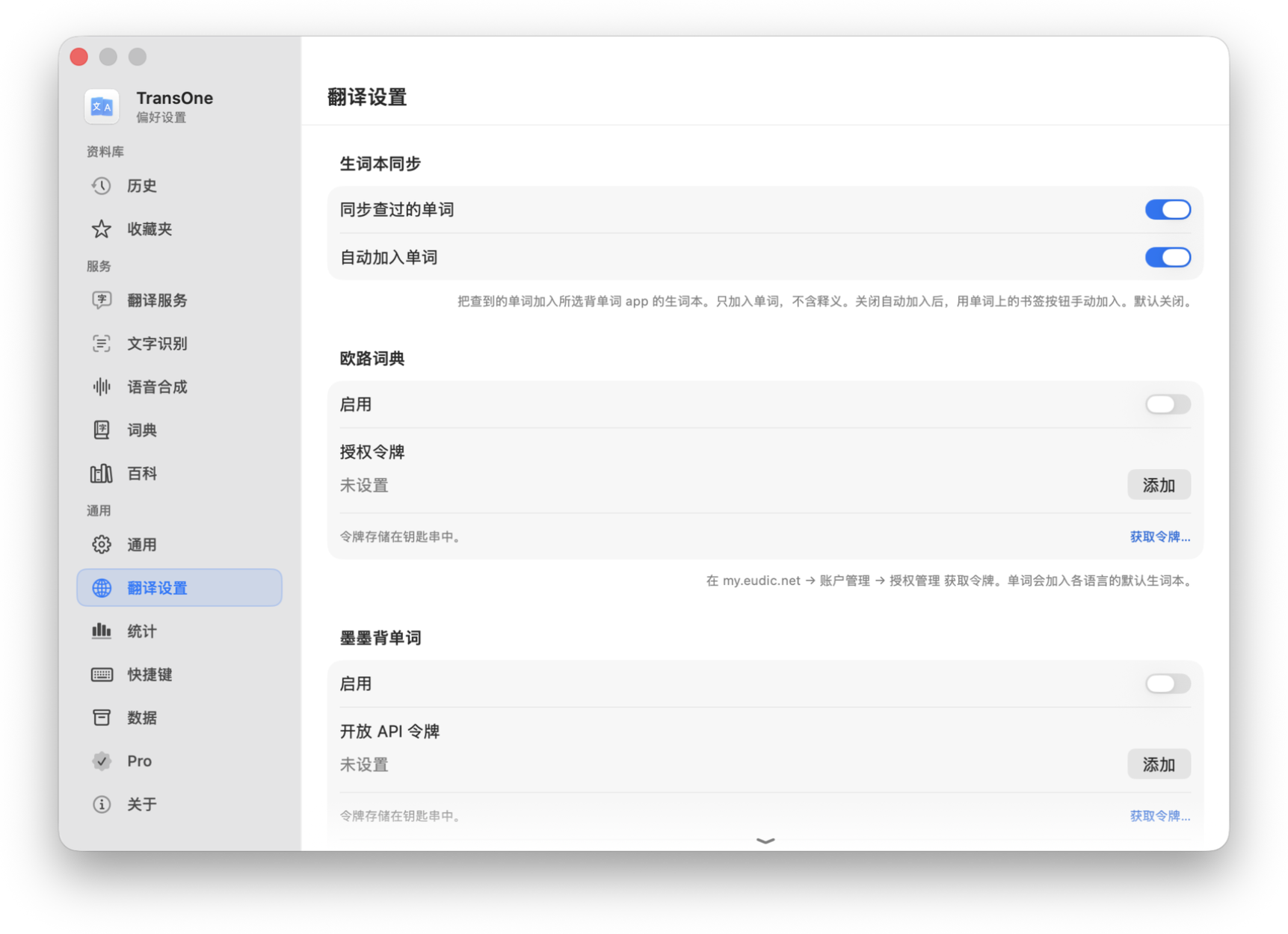
- Open Preferences from the menu bar icon and go to Settings ▸ Translation Settings.
- Scroll to the Wordbook Sync section at the bottom.
- Turn on Sync looked-up words. This is the master switch. Until it is on, nothing is sent, whatever the other options say.
- Leave Add words automatically on if you want words sent for you, or turn it off to add them by hand only. It is on by default, but it only takes effect once the master switch above is on.
- For the service you use (Eudic or MaiMemo), turn on its toggle and paste your token into its field. Your token is stored in the macOS Keychain, the password vault built into your Mac, and is only ever sent to that service. Use the Get token… link if you do not have one yet.
- Click Verify to check that the token works.
INFO
MaiMemo also asks which cloud notebook to add words to. It can create one for you, named TransOne.
Automatic and manual adding
There are two ways a word reaches your vocabulary app.
Automatically. With Add words automatically on, a word is sent whenever a dictionary lookup succeeds. A translation with no dictionary hit is never sent, so plain sentences and phrases you translate stay on your Mac.
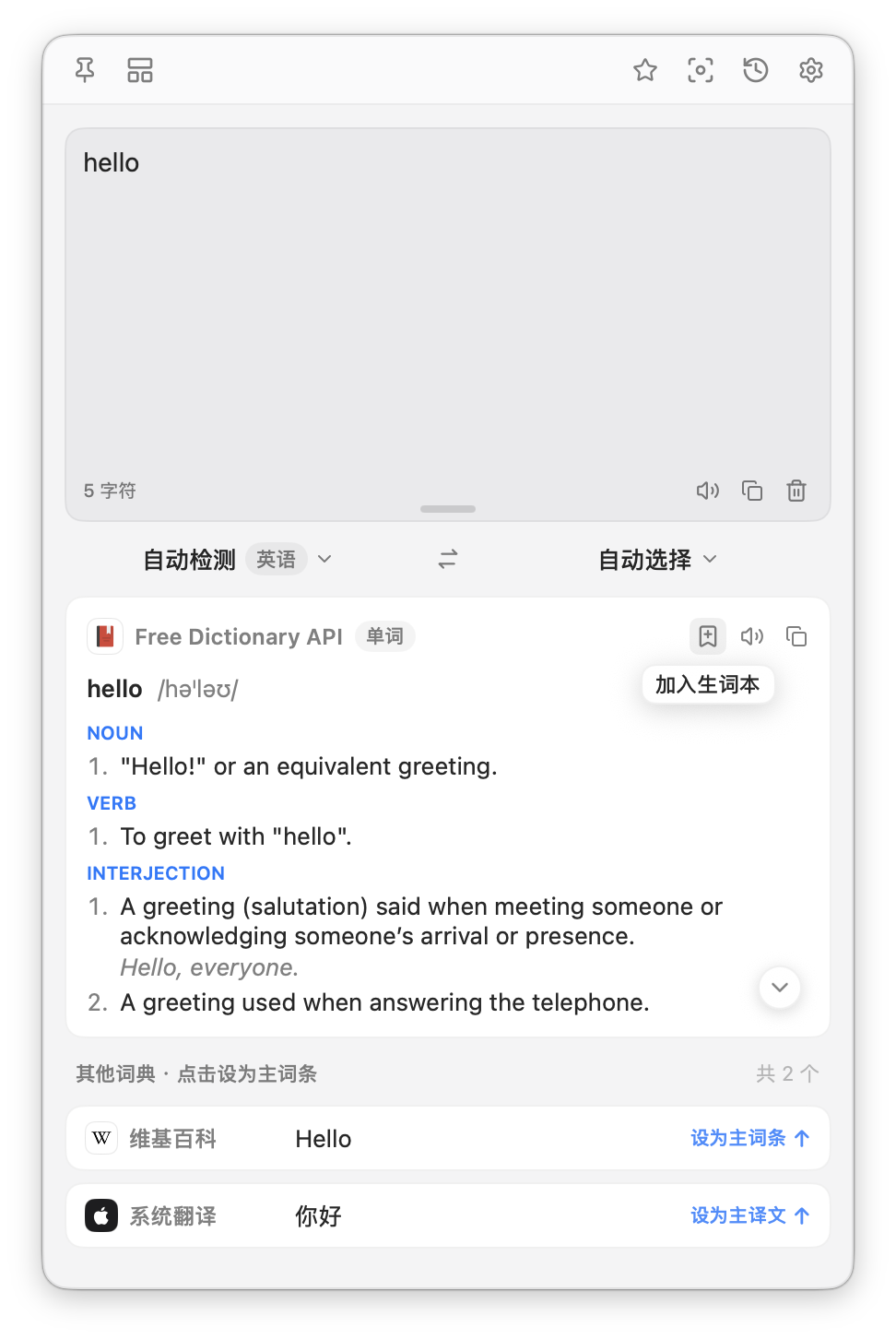
By hand. When sync is on and set up, a bookmark button appears in the dictionary card. Click it to add that word, and TransOne shows "Added to wordbook". It only ever adds a word, it never removes one.
Related
- Dictionary, the lookups that feed your wordbook.
- Privacy and your data for what leaves your Mac.