
Encyclopedia
Some things are not really translated, they are explained. A person's name, a city, a company, a technical term: what you usually want is a sentence telling you what it is. For text like this, TransOne shows an encyclopedia card with a real article summary, drawn from an actual encyclopedia.
Like the dictionary, this happens on its own. You do not have to ask for it.
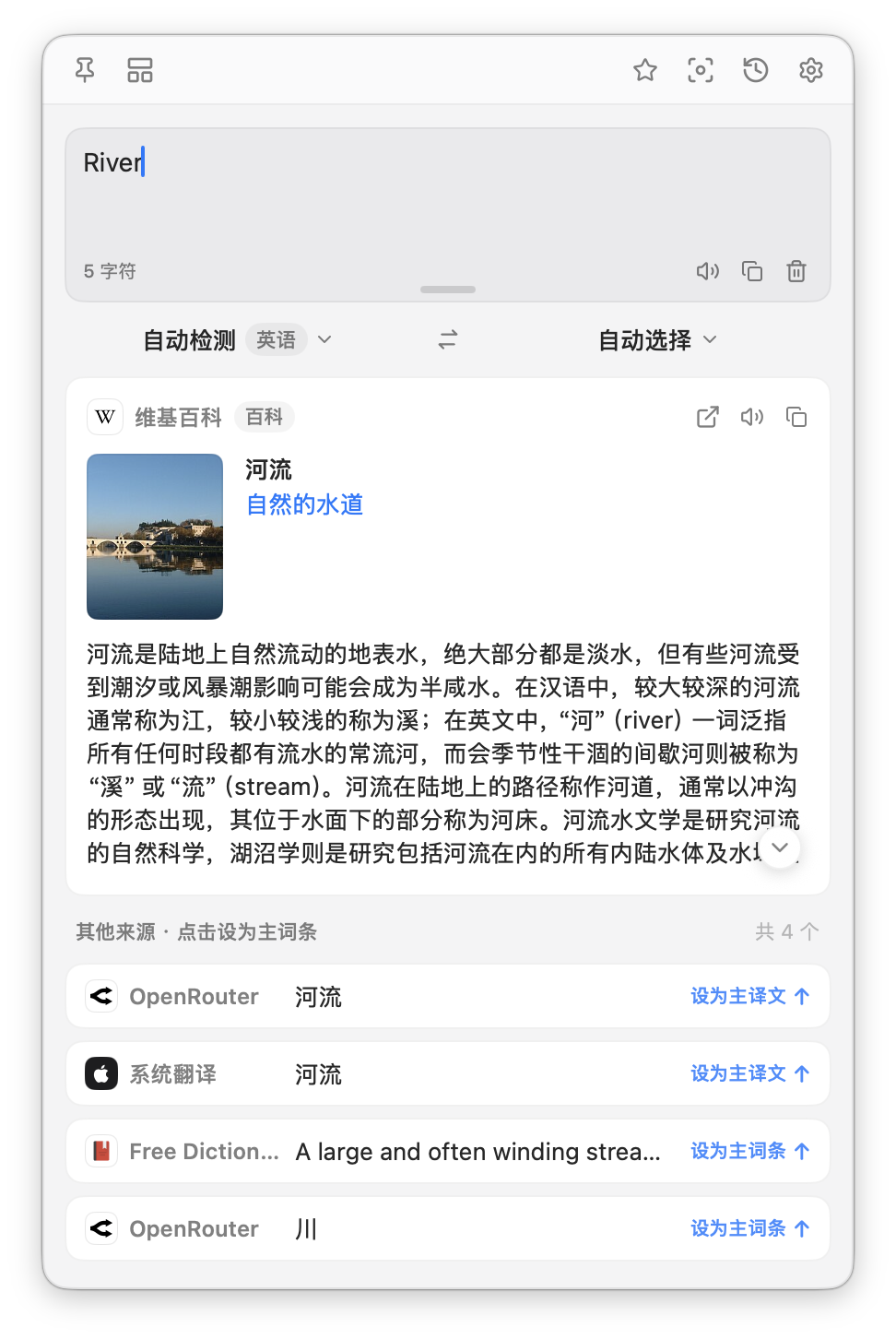
When the card appears
The card appears when the text is a short term and an enabled source has an article for it. Specifically, all of these must be true.
- It is one line.
- It is at most 40 characters.
- It is at most 6 words.
It works even when you have no translation engine enabled, so you can use TransOne purely to look things up. If no source has an article, the card simply does not appear. There is no error.
What the card shows
- A thumbnail image, when the article has one.
- The title of the article.
- A short one-line description.
- The summary paragraph.
- An open in browser button, which opens the full article.
- Copy, which copies the summary, and Speak, which reads it out loud (see Read aloud).
Encyclopedia sources
Turn sources on and off in Settings ▸ Encyclopedia (open Preferences from the menu bar icon, then choose Encyclopedia in the sidebar). Several can be on at once, and each is checked for every lookup. Drag them to reorder.
| Source | Needs a key | Notes |
|---|---|---|
| Wikipedia | No | On by default. Picks the language edition from the term. |
| Wikidata | No | Structured entries. |
| Moegirl | No | Chinese, anime and games. |
| Baidu Baike | API Key (Baidu AppBuilder) | Chinese. |
Dictionary or encyclopedia?
The two cards answer different questions. The dictionary tells you what a word means and how to say it, so it is for ordinary vocabulary. The encyclopedia tells you what a thing is, so it is for names, places and terms. Both can appear at once above the same translation.
Related
- Dictionary for ordinary words.
- Read aloud to hear a summary.